
Dubai runs on the nol card. Metro, buses, trams, water buses, pretty much everything. And getting blocked at the metro gate because your balance ran out is genuinely awful, especially during rush hour at Burjuman or Union when the crowds are backing up behind you. So a quick nol card balance check before you leave home just makes sense.
This guide covers all the official ways to check your nol balance online and in person, how to find your Tag ID, the minimum balance you need, and what to do if the balance looks wrong.
Types of Nol Cards
The RTA has four nol card types. Which one you have determines how much credit it can hold and which balance check methods work for you.
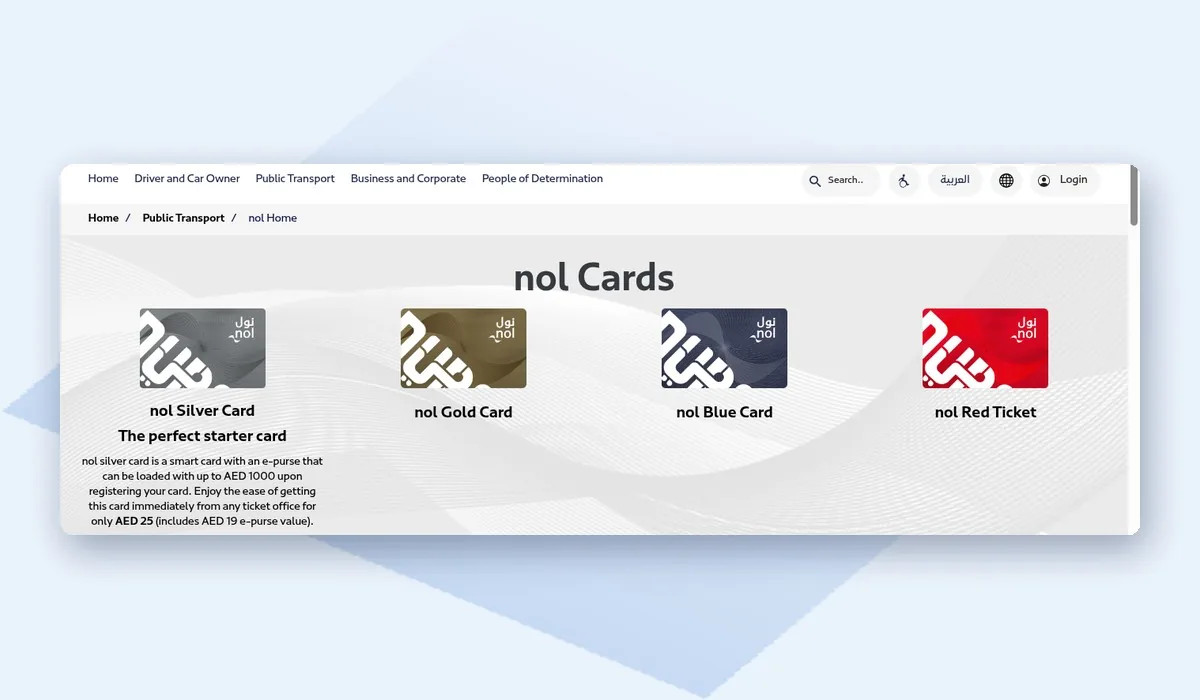
The four cards work quite differently from each other:
| Card type | Who it’s for | Key details |
|---|---|---|
| nol Silver | Most regular users | Costs AED 25, including AED 19 credit. Can hold up to AED 1,000 |
| nol Gold | Gold class travel on the metro and tram | Same as Silver, but for Gold class |
| nol Blue | Personalised card with your name and photo | Can be registered, protected if lost |
| nol Red | Paper ticket for visitors and occasional trips | Holds trips, not credit |
Silver, Gold and Blue cards all store actual money (the RTA calls it e-purse credit) so you can check those balances online. Red tickets store trips instead, not credit, so a ticket machine at the station is your best bet for those.
Where to Find Your Nol Tag ID
Most online balance checks ask for the Tag ID. This is the number printed on the back of your nol card. It’s different from any number on the front.
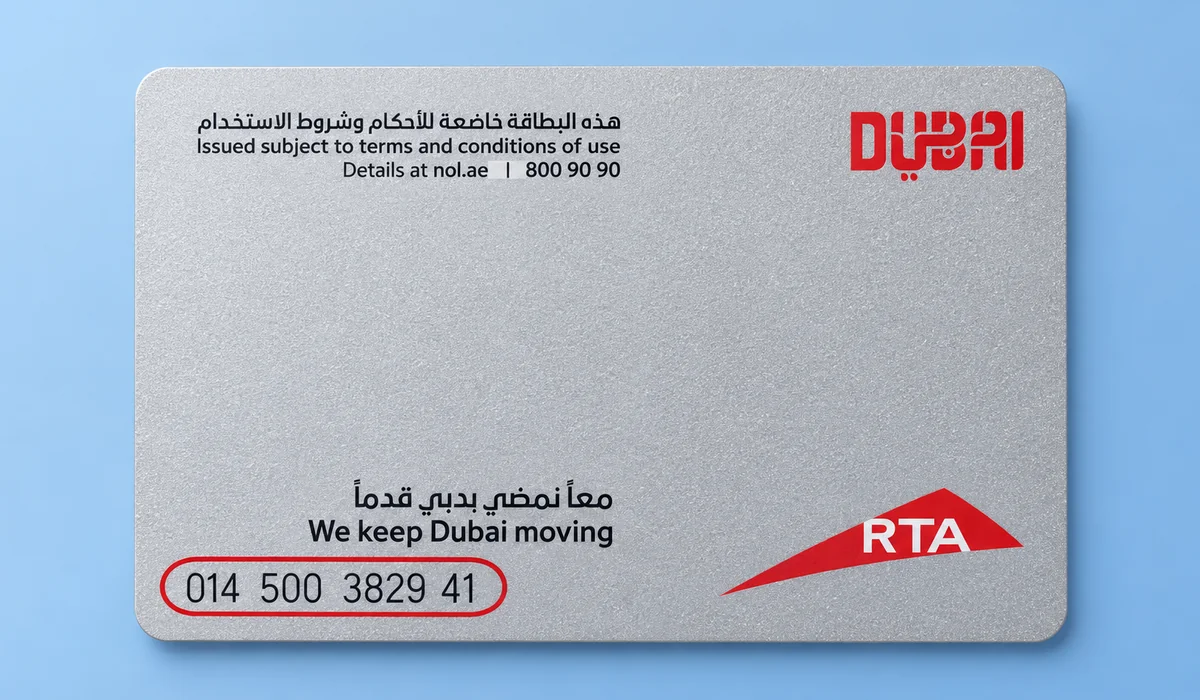
Enter the Tag ID exactly as printed, without spaces. If the number has worn off, a ticket machine or customer service counter can still read your card and show the balance.
Method 1: Check Nol Balance on the RTA Website
The RTA website has a free balance check service. You don’t need to log in for an anonymous Silver or Gold card.
Run through these steps:
- Go to the official RTA website at rta.ae.
- Open Public Transport and then the nol section.
- Select the balance service for your card type, such as Anonymous nol Card Balance.
- Type in your Tag ID from the back of the card. No spaces.
- Do the security captcha thing and hit submit.
You’ll see your current balance plus the card’s expiry date right on the page. One thing though, the online balance doesn’t always update straight away after a trip or top-up. If you just got off the metro, checking at a station machine will be more accurate.
Method 2: Check Balance on the nol Pay App
The nol Pay app is RTA’s official app for managing nol cards. Got NFC on your phone? The app reads the card directly and pulls the real balance instantly, no waiting for a server to catch up.
Here’s how:
- Download nol Pay from the App Store or Google Play.
- Sign in, for example with UAE Pass.
- Choose the option to check a card.
- Hold your nol card flat against the back of your phone so it can be read.
- View your balance and recent trips.
The app also lets you top up your card and buy some travel products without queuing at a machine. And if your phone doesn’t have NFC, you can still punch in the Tag ID manually to check online.
Method 3: Check at a Ticket Vending Machine
Every metro station has ticket vending machines, and many bus stations do too. These are the most accurate option because the machine reads the chip on your card directly. No delays, no syncing.
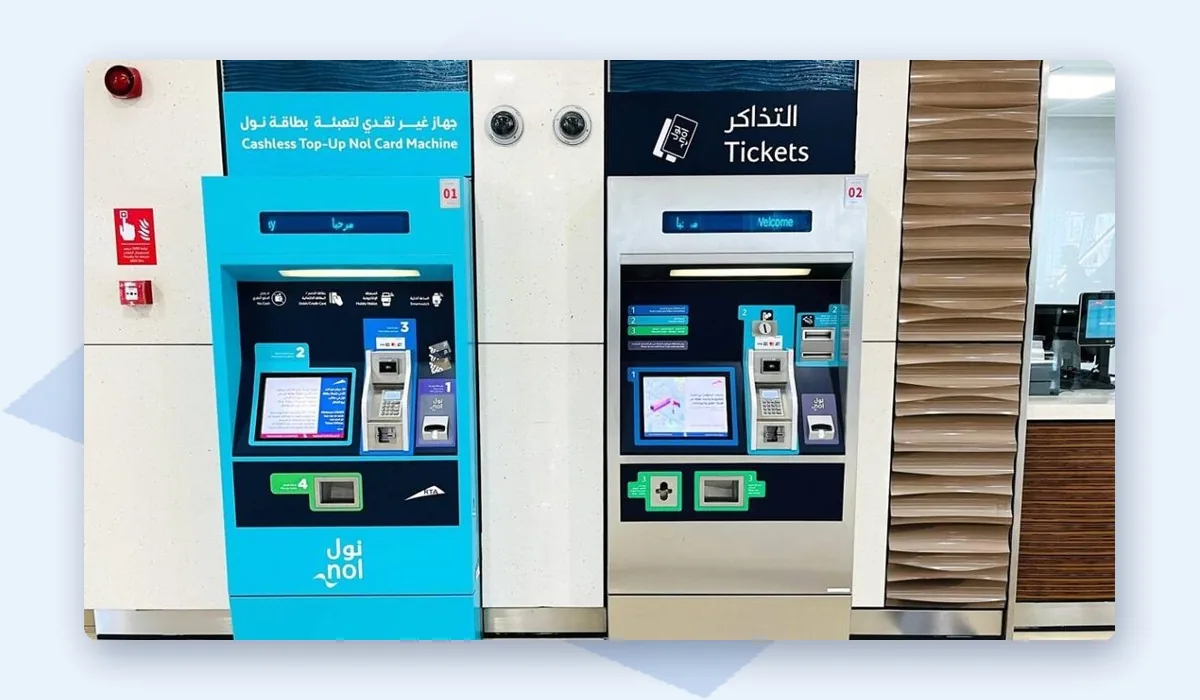
Just do this:
- Go to any ticket vending machine at a metro or bus station.
- Place your nol card on the card reader area.
- The balance appears on the screen right away.
- Top up on the same machine if the balance is low.
Machines accept cash and cards for top-ups. This is also the best way to check a nol Red ticket.
Method 4: Check at Gates, Ticket Offices and Retailers
Your balance also appears in a few other places during normal travel. Good to know for those times when your phone is dead or you’re offline.
Here’s where else you can check:
- Metro gates show your remaining balance on the screen when you tap out.
- On buses, the card reader flashes your balance each time you tap on or off.
- Got a question about a charge? Metro ticket offices and RTA Customer Happiness Centres can pull up your balance and print it out.
- Some authorised top-up retailers (like certain grocery stores) can tap your card at their counter and tell you the balance too.
Minimum Balance for the Metro
You need a minimum balance on your nol card before you can enter a metro station. The commonly reported minimum is AED 7.50. Gates will block entry if your card has less than this, so top up before you reach the station.
That minimum exists because the system needs to know you can cover the fare for the longest possible route. You don’t get charged when you enter. The fare gets deducted when you tap out, based on how many zones you crossed. So the gate basically holds that AED 7.50 as a guarantee.
How to Top Up Your Nol Card
Once you know your balance, adding credit is quick. You can top up in several ways:
- Ticket vending machines at metro and bus stations
- The nol Pay app, using a bank card or Apple Pay
- The RTA website, with your Tag ID
- Metro ticket offices
- Plenty of supermarkets and grocery stores near metro stations are authorised top-up points too, so it is worth checking the one closest to you
One thing that catches people out with online top-ups: the credit is not live the second you pay. You need to tap your card at a gate or machine first to activate it. The confirmation screen after payment will spell out exactly what to do, so actually read it before you walk away.
What to Do If the Balance Looks Wrong
Seeing a lower balance than expected is annoying. But it is usually one of a couple of boring reasons. Before anything else, go through these:
- Did you tap out at the end of your last trip? Miss the exit tap and the system charges you the maximum fare automatically.
- Did you top up online recently? That credit might not be active yet until you tap at a gate or machine.
- Is the card expired? You’ll need to renew it before any remaining balance becomes usable again.
Still not making sense? Go to the nearest metro ticket office or ring RTA on 800 9090. They have your full card history on their end and can go through every transaction with you.
Final Thoughts
Honestly the fastest way is the RTA website or nol Pay app with the Tag ID from the back of your card. But for the most accurate reading, tap your card at a station machine. And remember, you need at least AED 7.50 or the metro gate won’t let you through. Just get in the habit of topping up with a bit extra so you’re not scrambling at the station.
If you drive as well, our Salik balance check guide shows how to keep your toll account in credit, and the Dubai traffic fine check guide covers RTA and police fines.