
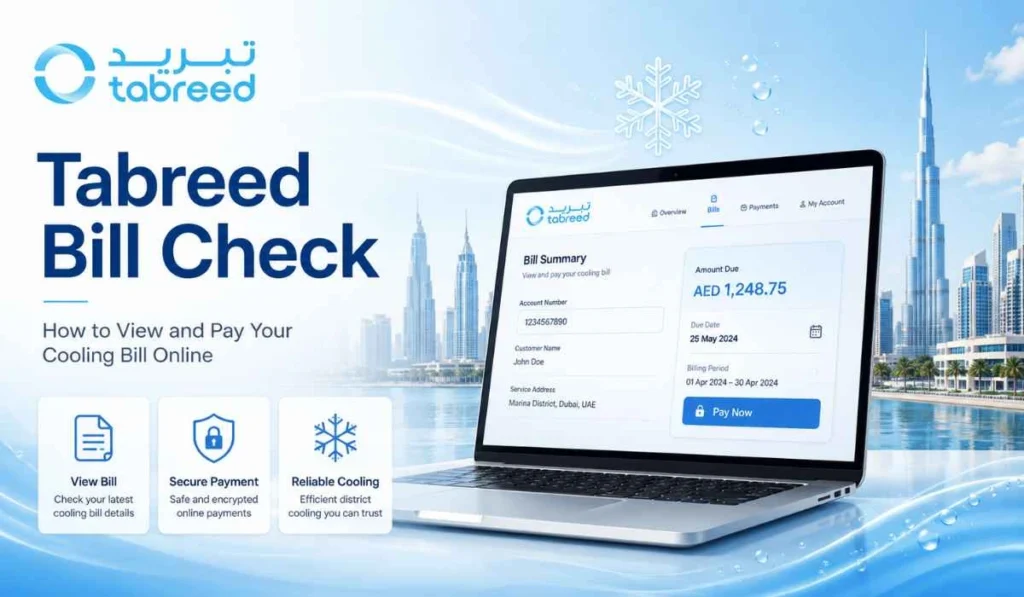
Quick Answer: You can check your Tabreed bill through the correct customer billing channel, which is often Tasleem for residential users. Tabreed says billing, collection, and end-user metering are handled through Tasleem for individual residential customers. You can use the Tasleem portal, Quick Pay, or mobile app to view account details, check balance, and pay your cooling bill.
If your home or building is connected to Tabreed district cooling, then you may need to check your cooling bill every month. Some people call it a Tabreed bill, some call it a Tasleem bill, and many just say chiller bill. Same kind of user intent, mostly.
A Tabreed bill check helps you see your outstanding balance, cooling charges, invoice details, and payment status before you pay. This is useful because district cooling bills can feel confusing at first, especially for new tenants.
One thing to know early. For individual residential customers, you may see Tasleem instead of Tabreed when checking bills or paying online. Don’t get confused. Tabreed explains that Tasleem handles billing, collection, and end-user metering for residential customers.
What Is Tabreed Bill Check?
Tabreed bill check means viewing your district cooling bill before payment. It helps you see how much amount is due, which billing period it belongs to, and whether there is any old balance added.
Checking the bill and paying the bill are not exactly the same thing. First you check the account and amount. Then you pay only if the details look correct.
Your cooling bill may include monthly cooling charges, metering details, previous balance, and payment status. If the bill looks higher than normal, checking the invoice or account statement can help you understand it better.
Tabreed and Tasleem: Why the Billing Name May Look Different
This is where many users get confused. You search for Tabreed bill check, but the payment or account page may show Tasleem.
Tabreed says it conducts billing, collection, and end-user metering through its subsidiary, Tasleem Metering and Payment Collection. It also says Tasleem is the point of contact for individual residential customers, while Tabreed is the focal point for government and commercial bulk customers.
So for a normal tenant or apartment user, Tasleem may be the name you deal with for bill check, payment, balance, and customer account support. Simple as that.
What You Need Before Checking Your Tabreed Bill
Before you start, keep your account details ready. The exact details may depend on the portal or payment method you use.
| Detail | Why You Need It |
|---|---|
| Account or customer number | To find your cooling bill |
| Registered mobile number | Useful for login or verification |
| Registered email | Helps with account access and bill notices |
| Portal username and password | Needed for full bill and statement access |
| Old invoice or receipt | Helps confirm account and previous payment |
If you are a new tenant, check the details given by your building management, landlord, or cooling service registration documents. Using an old account number or wrong unit details can stop the bill from showing.
How to Check Tabreed Bill Online
The exact steps can be a little different depending on your building, account type, and billing setup. But for most residential users, the bill check process is usually connected with Tasleem’s customer services.
- Open the official Tabreed or Tasleem customer channel
Start from the official website, portal, or app. Avoid random payment links that ask for your account number or card details. - Log in or enter your account details
If you have a portal account, log in with your username and password. If you are using Quick Pay, enter the required account or customer details. - Go to billing, invoice, or account section
Look for bill, invoice, balance, payment, or account statement options. The wording may not be exactly the same everywhere. - Check your monthly bill or outstanding balance
Review the amount due and billing period. Do not only look at the final amount quickly. Check if any previous balance is included. - Review account number and unit details
Make sure the bill belongs to your correct apartment, villa, shop, or account. This matters a lot if you recently moved. - Download or save the bill if available
If the portal or app gives a download option, save the bill. It helps when you want to compare charges later. - Pay only after checking the details
If the account and amount look correct, then continue to payment through the official channel.
How to Pay Tabreed Bill After Checking
After checking your bill, payment is the next step. Do not rush this part. First make sure the account number, amount, and billing period are correct.
Tasleem’s FAQ says payments can be made through Tasleem’s mobile app, Autopay, Samsung Pay, Quick Pay, or the self-service portal. It also says users can use Quick Pay from the Tasleem website, or if they have an active account, they can pay through the app or self-service portal.
You can follow this simple idea:
- Confirm your account or customer number.
- Review the amount due and billing period.
- Use the official customer portal, app, or Quick Pay.
- Choose an available payment method.
- Complete the payment only on the official page.
- Save the receipt or payment confirmation.
- Check again later if the payment status does not update.
If you pay often, Autopay can be useful. A report about Tasleem’s service expansion also mentioned an auto-pay system for monthly cooling bills and online move-in or move-out services.
Common Problems When Checking Tabreed Bill
Sometimes the bill does not show, or the balance looks wrong. It happens. Most of the time, the reason is small.
- Wrong account or customer number: Check the number again from your invoice, registration email, or old receipt. One wrong digit can show no result.
- Registered mobile or email does not match: If you are trying to log in or verify the account, your mobile number or email may need to match the account record.
- Portal login issue: Try resetting your password or using the official support option. Do not create multiple accounts without checking.
- Bill is not generated yet: Sometimes the latest monthly bill may not be ready. Wait and check again later.
- Payment done but balance still showing: Payment updates can take some time. Keep your receipt until the balance changes.
- New move-in account is not active yet: If you recently moved in, your billing setup may still be in process.
- Building uses a different billing route: Some projects or buildings may have their own management process. If you are not sure, ask the building management or the official customer support channel.
Simple Tips Before Paying a Tabreed Bill
Before paying, spend one minute checking the bill. It sounds basic, but it helps.
- Check the account number before payment.
- Review the billing period so you know which month you are paying for.
- Compare high bills with older invoices if the amount looks unusual.
- Check if any old balance is included in the total amount.
- Save the payment receipt after every payment.
- Use only official Tabreed or Tasleem channels.
- Contact support if the amount appears incorrect or the bill is not updating.
District cooling bills can change with usage, season, building setup, and account status. So if the bill looks high, don’t panic immediately. Check the invoice first, then ask support if it still does not make sense.
FAQs About Tabreed Bill Check
How can I check my Tabreed bill online?
You can check your Tabreed bill through the correct customer billing channel, often Tasleem for residential customers. Use the customer portal, Quick Pay, or mobile app if available for your account.
Is Tabreed bill paid through Tasleem?
For individual residential customers, yes, billing and payment collection may be handled through Tasleem. Tabreed says Tasleem is the point of contact and interface for individual residential customers.
What details do I need to check the Tabreed bill?
You may need your account number, customer number, registered mobile number, email, or portal login. An old invoice or payment receipt can also help you confirm details.
Can I download my Tabreed cooling bill?
If your portal or app account supports bill download, you can save your bill or statement from there. Tasleem’s app listing says customers can view accounts, consumption overview, update contact details, and make payments online to cooling service invoices.
Why is my Tabreed bill not showing?
Your bill may not show because the account number is wrong, the latest bill has not been generated yet, your login details do not match, or your account is not active. Check your details first.
How do I pay my Tabreed bill online?
Tasleem says users can pay through its mobile app, Autopay, Samsung Pay, Quick Pay, or self-service portal. Use the official channel and save your receipt after payment.
Is Tabreed the same as Empower?
No. Tabreed and Empower are different district cooling companies. Both provide cooling services, but the provider depends on your building or community. Your bill should show which company or billing service is connected to your property.
Final Thoughts
Tabreed bill check is simple once you know which customer channel your account uses. For many residential users, the billing name may appear as Tasleem because it handles billing, metering, and payment collection for individual customers. Keep your account number ready, check the outstanding balance, and confirm the billing period before paying.
And yes, save your receipt after payment. It helps if the balance does not update right away. Have you faced any Tabreed or Tasleem bill issue, like bill not showing, payment not updating, or high cooling charges? Share your issue in the comments, it may help another resident too.