
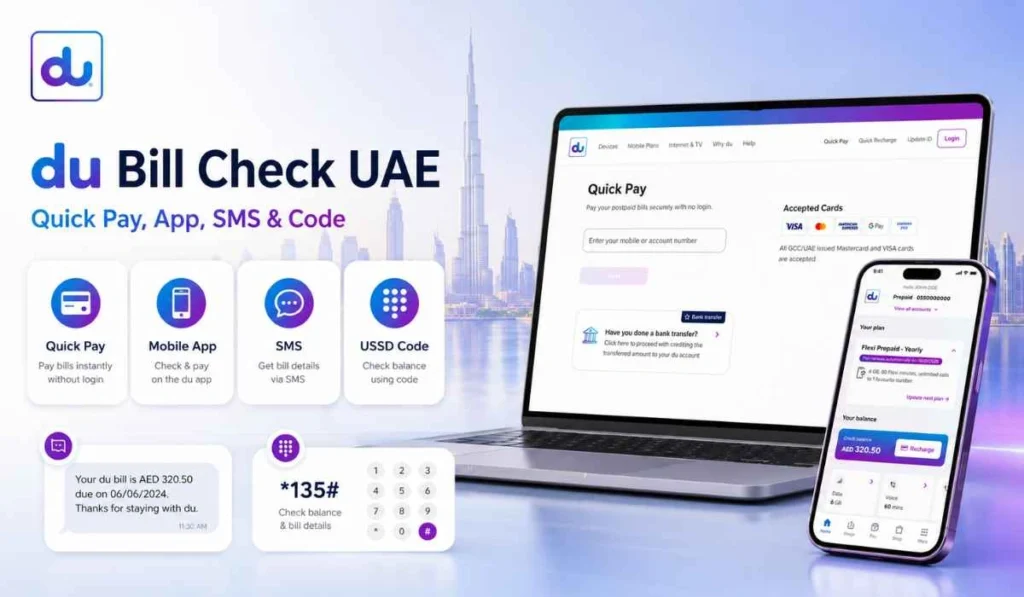
Quick Answer: You can check your du bill through Quick Pay, My Account, du app, SMS, USSD code, phone call, banks, kiosks, or du stores. For online quick checking, du Quick Pay lets you enter your mobile or account number and pay postpaid bills without login. For outstanding bill amount, du also says users can check through the du app, My Account, or by sending “Bill” to 1233.
If you use du mobile, home internet, landline, or postpaid services in the UAE, checking your bill on time is useful. You do not always need to wait for a reminder message. Sometimes you just want to know the amount before payment, or check if your last payment has updated.
Many people search for du bill check and think there is only one online method. But no, there are more ways. You can check from the du app, My Account, Quick Pay, SMS, USSD code, phone call, and even through banks or payment kiosks in some cases.
The best method depends on what you need. If you want a fast bill amount, Quick Pay or SMS is enough. If you want full bill history and usage details, then the du app or My Account is better.
What Is du Bill Check?
du bill check means checking the amount due on your du account before paying. This can be for a mobile postpaid number, home internet, landline, or account number.
A simple way to understand it is this. Bill check is when you look at the amount. Bill payment is when you actually pay it. Both are connected, but they are not the same thing.
This matters because you should always confirm the number and amount before paying. Maybe you entered the wrong account number. Maybe the payment already went through but the status has not updated yet. Or maybe you are checking a home account instead of a mobile account. Small mistakes happen.
What You Need Before Checking Your du Bill
Before you start, keep the right details ready. Different methods may ask for different information.
| Detail | Why You Need It |
|---|---|
| Mobile number | To check or pay a du mobile bill |
| Account number | Useful for postpaid, home, or multiple services |
| Landline number | Helpful for some home services |
| Bank card | Needed if you want to pay online |
| OTP access | Your bank may ask for OTP during payment |
| My Account login | Needed for full bill history and account details |
If you manage more than one du number or service, check carefully. This is where many users make mistakes, especially with home internet and mobile bills.
All the Methods to check the Du bill in the UAE
du bill check is not only one method. Here are the main ways you can check your bill or outstanding amount.
1. Check du Bill Through Quick Pay
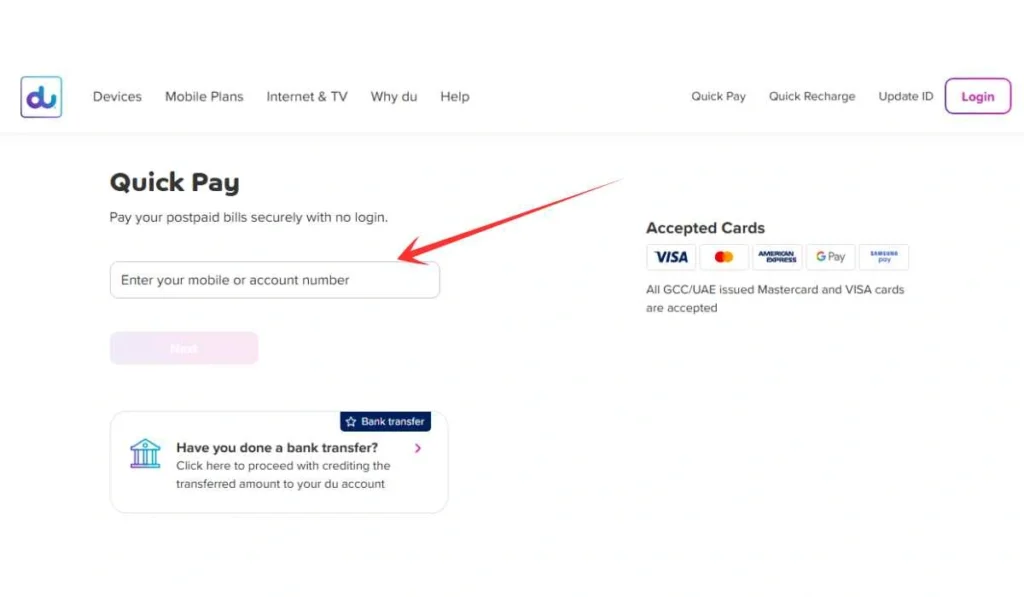
du Quick Pay is one of the fastest ways to check and pay a postpaid bill. It does not need full login. You enter your mobile number or account number, then continue to see the bill/payment screen.
Use it like this:
- Open the official du Quick Pay page.
- Enter your mobile number or account number.
- Continue to the bill or payment screen.
- Check the amount due.
- Pay only if the details are correct.
- Save the receipt after payment.
2. Check du Bill Through du App
The du app is better for regular users. It is not only for payment. You can use it to manage bills, services, account details, usage, and payment options.
This is a good method if you want more than just the amount. For example, if you want to see your usage, plan, bill details, or payment history, the app is usually easier.
Basic flow:
- Open the du app.
- Log in to your account.
- Go to billing, payment, or account section.
- Check your bill amount and payment status.
- Pay from the app if needed.
du’s payment channel page also lists the du app as a bill payment option and says Apple Pay is available through the app.
3. Check du Bill Through My Account
My Account is another good method if you want full account control. It is useful for people who want to check detailed bill, usage, payment status, or manage services from the web.
Basic flow:
- Open du My Account.
- Log in with your details.
- Go to the dashboard or billing section.
- Check your outstanding amount.
- Review your bill details before payment.
du’s business bill statement page says users can view detailed bill, check usage, or top up credit through My Account. It also says Quick Pay can be started by entering mobile, landline, or account number.
4. Check du Bill by SMS
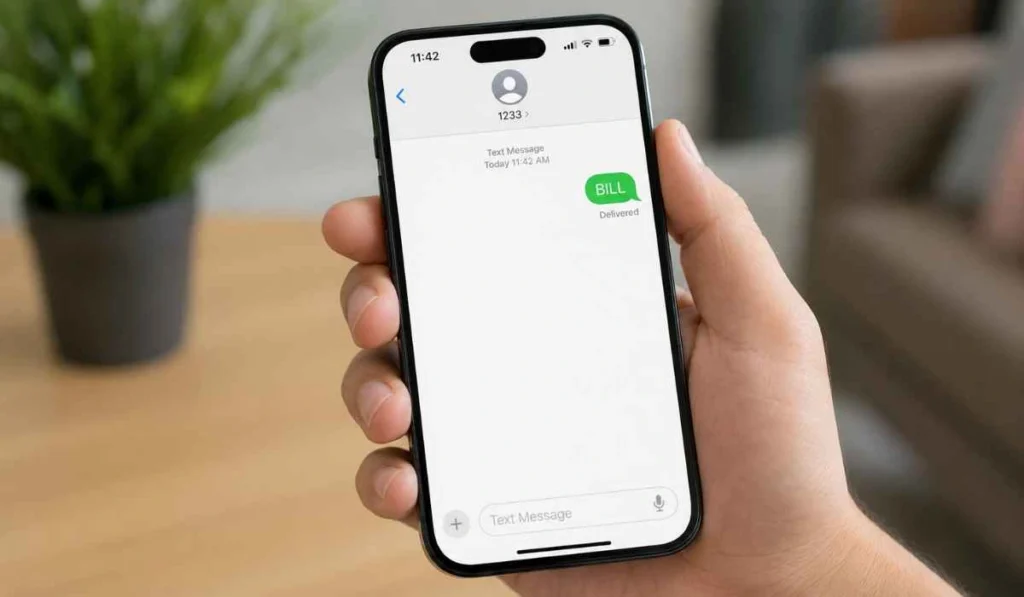
If you do not want to open the app or website, SMS can help. du says outstanding bill amount can be checked by sending “Bill” to 1233.
Use it like this:
- Open SMS on your phone.
- Type Bill.
- Send it to 1233.
- Wait for the reply with your bill or outstanding amount.
This method is simple, but it may depend on your service type. If you do not get a reply, use the du app, My Account, or Quick Pay.
5. Check du Balance or Usage by USSD Code
For balance and usage, users often use USSD codes. This is not exactly the same as a full bill check, but it is still useful, especially for mobile users.
- Postpaid users: Dial *131# and follow the on-screen instructions to check outstanding balance or usage details.
- Prepaid users: Dial *135# to review remaining balance or available options.
- Data balance: du also mentions SMS Balance to 1355 for checking remaining data balance.
A quick note. Codes can change sometimes, so if one code does not work, use the du app or official support. That is the safer fallback.
6. Check and Pay du Bill by Phone Call
If you prefer phone payment, du also provides call-based payment options. This is useful when you do not want to use the app or website.
- For mobile bill payment, dial 155 and choose option 1.
- For home services bill payment, call 04 390 5555, choose option 2, then option 1, and enter your credit card details.
du’s official payment channel page lists these phone payment instructions for mobile and home services.
Keep your account details ready before calling. The system may ask for verification or payment information.
7. Check Through Banks, Kiosks, and Stores
Some users prefer offline or banking methods. du lists banks, kiosks, retail stores, phone payment, and other methods as payment channels. Banks can include online banking, ATM, cash deposit, mobile banking, or bank transfer depending on the bank.
This method is useful when:
- You cannot access the du app.
- Quick Pay is not working.
- You prefer bank payment.
- You want in-person help at a du store.
- You need kiosk or cash-based payment.
Banks and kiosks are more payment-focused, but many banking apps show the amount due before you complete payment. So they can also help you confirm the bill amount.
du Home Internet and Landline Bill Check
du bill check is not only for mobile users. You may also need it for home internet, broadband, home wireless, or landline services.
For home services, the account number or landline number is often more useful than just a mobile number. If you have du home internet, keep your account details ready before using Quick Pay, My Account, or phone payment.
Before paying a home bill, check these things:
- Correct account or landline number
- Total amount due
- Any previous balance
- Payment status
- Receipt after payment
If you recently moved home or changed your plan, check more carefully. Old account details can create confusion.
Common Problems and Fixes
Sometimes du bill check does not work on the first try. Most issues are simple.
- Bill not showing: Check the number again. Make sure you entered the correct mobile number, landline number, or account number.
- SMS reply not coming: Make sure you sent Bill to 1233 from the right du number. If it still does not work, use the app or My Account.
- USSD code not working: Try again after some time. If *131# or *135# does not work, use the du app or call support.
- Payment failed: Your card may not support online payment, or your bank may block the transaction. Try another official method.
- OTP not received: Check your bank registered mobile number and network signal. If OTP still does not arrive, contact your bank.
- Payment done but bill still pending: Payment status can take some time to update. Keep your receipt or transaction ID.
- App or website not loading: Try another browser, clear cache, update the app, or check again later.
Safety Tips for du Bill Check and Payment
Online bill check is easy, but still be careful. Fake payment links can look real, especially in SMS or WhatsApp.
- Use only the official du website, My Account, or du app.
- Do not open payment links from unknown messages.
- Never share OTP with anyone.
- Check the mobile number or account number before payment.
- Review the amount before entering card details.
- Save the receipt or transaction ID after payment.
- Avoid entering card details on public or shared devices.
Simple rule: if the page looks strange, stop. Open the official du website or app yourself.
Frequently Asked Questions (FAQs)
How can I check my du bill?
You can check your du bill through Quick Pay, du app, My Account, SMS Bill to 1233, phone support, banks, kiosks, or stores. For full details, the app or My Account is better.
How can I check du bill by SMS?
Send Bill to 1233 from your du number. du says this can be used to check the outstanding bill amount.
Can I check du bill without login?
Yes, you can use du Quick Pay. It lets you enter your mobile or account number and pay postpaid bills securely without login.
What is the du balance check code?
For mobile balance or usage, postpaid users can try *131#, while prepaid users can try *135#. For data balance, du mentions sending Balance to 1355.
How do I pay my du bill by phone?
For mobile bills, dial 155 and choose option 1. For home services, call 04 390 5555, choose option 2, then option 1.
Why is my du bill not showing?
Your bill may not show because the number is incorrect, the bill is not ready yet, your account details do not match or the app/website is experiencing a temporary issue.
Which method is best for du bill check?
For quick amount check, Quick Pay or SMS is easy. For full bill details, usage, and account history, use the du app or My Account.
Final Thoughts
du bill check can be done in many ways, not only online. You can use Quick Pay, du app, My Account, SMS, USSD codes, phone call, banks, kiosks, or stores. For most users, Quick Pay is fast. But if you want full details, the du app or My Account is better.
Before paying, check the number, amount, and account details properly. And yes, save the receipt after payment. Have you faced any du bill issue like SMS not working, bill not showing, or payment still pending? Share your issue in the comments, it may help another UAE user too.