
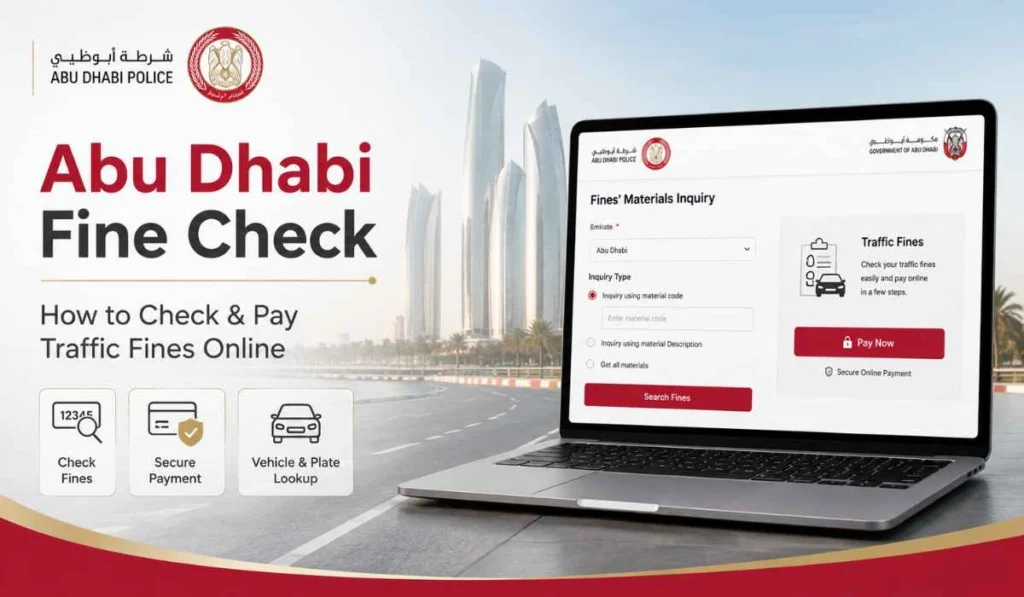
If you drive in Abu Dhabi, checking traffic fines from time to time is a good habit. Many drivers only remember fines when they renew their car, renew their license, or get a message. But waiting until the last moment can create stress.
Abu Dhabi fine check helps you see if any traffic fines are linked to your vehicle, license, or traffic file. You can also check the amount, violation details, black points, and payment status before making payments.
The process is not too hard. You can use Abu Dhabi Police, TAMM, MOI, or Emirates Vehicle Gate. Just keep your details ready, because wrong plate code or the wrong file number can show no result.
What Is Abu Dhabi Fine Check?
Abu Dhabi fine check means checking traffic fines linked with your vehicle or driving record. It is basically a fine inquiry before payment. You are checking what is pending, what is already paid, and what needs action.
The Abu Dhabi Police e-services page includes public services for traffic fines inquiry, payment receipts inquiry, vehicle certificates inquiry, accidents inquiry, and other traffic services. It also lists vehicle and driver services for registered vehicles, license information, payment of violations, and issued licenses.
A fine check can show useful details like:
- Fine amount
- Violation date
- Vehicle or license details
- Black points if any
- Payment status
- Fine receipt if already paid
So yes, it is not only about paying. First check the details. Then decide what to do next.
What You Need Before Checking Abu Dhabi Traffic Fines
Before starting, keep one or two details ready. You may not need all of them, but different portals may ask for different information.
| Detail | Why You Need It |
|---|---|
| Plate number | To check fines linked with your vehicle |
| Plate code or source | To select the correct Abu Dhabi plate |
| Traffic file number | To search wider traffic records |
| Driving license number | To check driver-related fines |
| Emirates ID | Useful on some UAE services |
| UAE Pass | Needed for some government portal logins |
If you are checking by plate number, be careful with the plate code. Many people enter the number correctly but choose the wrong plate source or code. Then the fine does not show, and they think there is no fine. Small mistake, but common.
How to Check Abu Dhabi Fines on Abu Dhabi Police Website
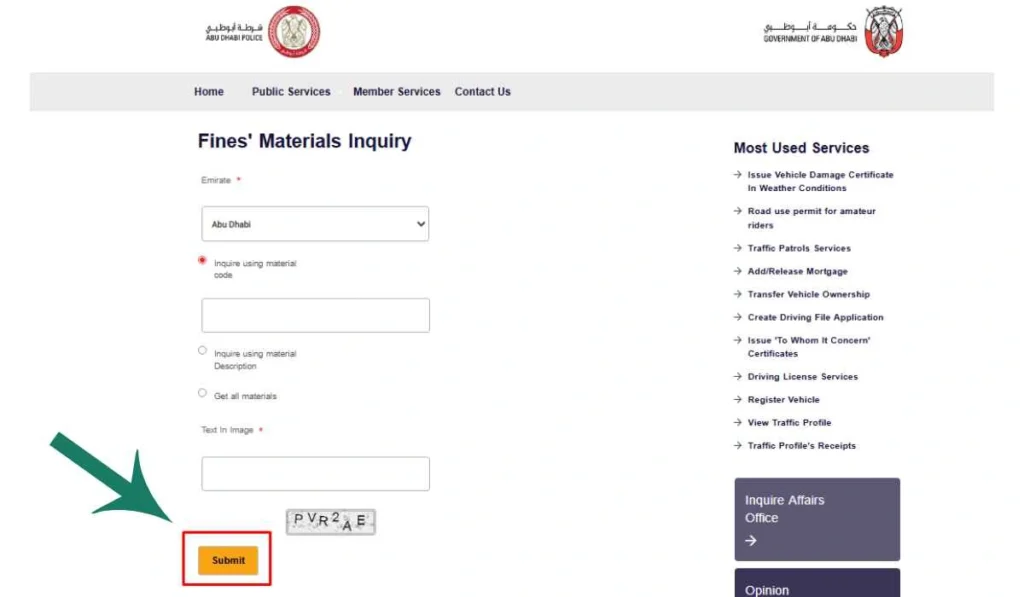
Abu Dhabi Police e-services are one of the main official ways to check traffic fines. Their traffic services page includes public services for traffic fines inquiry and traffic fine materials inquiry, plus payment receipt inquiry.
Here is the simple process:
- Open Abu Dhabi Police e-services
Go to the official Abu Dhabi Police traffic services or e-services page. Do not use random fine-checking websites, especially if they ask for personal or card details. - Go to Public Services or Traffic Fines Inquiry
Look for traffic fines inquiry or a similar public service. This is where you can start checking fines. - Choose the search method
Depending on the page, you may be able to search by vehicle details, traffic file, license details, or fine-related information. - Enter the required details carefully
Type the plate number, plate code, traffic file number, or other details exactly. Do not guess if you are not sure. - Review the fine information
Check the fine amount, violation details, black points if shown, and payment status. - Pay only after confirming the fine
If the fine is correct, you can continue with payment. If something looks wrong, stop and check the details again.
This method is good if you want to check fines directly from Abu Dhabi Police. It also helps if you need payment receipts later.
How to Check Abu Dhabi Fines Through TAMM
TAMM is another official way to pay and manage Abu Dhabi government services. For traffic fines, TAMM’s service says users can log in using UAE Pass or available channels, submit the application and required documents, then pay traffic fines.
Use TAMM like this:
- Open the TAMM traffic fines payment service.
- Log in using UAE Pass or the available login option.
- Submit the required details.
- Review the fine information.
- Pay only if the details are correct.
- Save the receipt or payment confirmation.
TAMM is useful if you already use Abu Dhabi government services from one place. It is also good for people who prefer UAE Pass login.
Other Ways to Check or Pay Abu Dhabi Fines
You are not limited to one website. There are a few official options, and each one is useful in a slightly different situation.
Abu Dhabi Police App
The Abu Dhabi Police app is a good option if you prefer using your phone. You can use it for traffic-related services, fine checks, payments, and other police services.
This is helpful for regular drivers. You do not need to open the website every time. Just make sure you download the official app only.
MOI UAE Website or App
MOI UAE is useful if you want to check or pay traffic fines through a federal UAE service. The MOI website lists Traffic Fines Payment among its e-services and most visited services.
This can help if your fine is linked with another emirate or UAE-wide traffic system. Keep Abu Dhabi as your main focus, but MOI is a good backup option.
Emirates Vehicle Gate
Emirates Vehicle Gate, also called EVG, is another official option. EVG says its fine payment service allows users to pay fines and look up fine information by logging in, searching for outstanding fines, and selecting the fines to pay.
EVG also offers a payment receipt inquiry service that lets users view or print traffic receipts by entering the receipt number.
This is useful if you already use EVG for vehicle services or need to check outstanding fines and receipts.
How to Pay Abu Dhabi Traffic Fines After Checking
After checking your fine, you can pay it through the official channel you are using. But do not pay too quickly. First make sure the fine belongs to your vehicle or driving license.
Before payment, check these things:
- Fine belongs to your vehicle or license
- Plate number or traffic file number is correct
- Fine amount is clear
- Violation date looks right
- Black points are shown if applicable
- Payment status is still pending
- You are on an official payment page
After payment, save the receipt or confirmation. Do not skip this. Sometimes payment status takes time to update, and the receipt helps if you need to prove payment later.
Common Problems When Checking Abu Dhabi Fines
Sometimes the fine does not show, or the payment status looks confusing. Most of the time, the issue is simple.
- Wrong plate number or plate code
Check the plate number and code again. A wrong plate source can stop the fine from appearing. - Fine is not uploaded yet
If the violation happened recently, the fine may not show immediately. Wait and check again later. - Traffic file or license details entered wrong
One missing digit can show no result. Use your official documents if you are not sure. - UAE Pass login issue
If you are using TAMM or another UAE Pass service, check if your UAE Pass is working properly. - Payment done but the fine still showing
Payment status may take some time to update. Keep your receipt and check again later. - App or website not loading
Try another browser, update the app, or use a different official channel. - Fine belongs to another emirate or system
If the fine does not appear on one platform, try MOI or EVG. Sometimes fines are linked through wider UAE traffic systems.
Can You Dispute an Abu Dhabi Traffic Fine?
Yes, if you believe a fine is wrong, you should contact the official authority and ask about the review or objection process. Usually this means Abu Dhabi Police or the authority that issued the fine.
Do not ignore the fine just because you think it is wrong. First check the details. Look at the violation date, fine type, location if shown, plate number, and amount.
If it still looks incorrect, use the official support channel. Keep any useful proof ready, like documents, payment receipts, or vehicle information. This is not legal advice, just a practical step. The final decision will come from the authority.
Safety Tips Before Paying Abu Dhabi Fines Online
Traffic fine payment uses personal and card details, so be careful. Fake payment links and toll-related SMS scams can happen. A recent warning about fake Abu Dhabi Darb fee messages said fraudsters were sending messages with suspicious links and residents were advised to verify messages before taking action.
Use these simple safety habits:
- Use official Abu Dhabi Police, TAMM, MOI, or EVG channels only.
- Do not click fine payment links from unknown SMS or WhatsApp messages.
- Never share OTP with anyone.
- Check the plate number and fine amount before payment.
- Do not enter card details on a strange-looking page.
- Save your payment receipt.
- Contact official support if payment status does not update.
A simple rule, open the official website or app yourself. Do not trust every link that comes in a message.
FAQs About Abu Dhabi Fine Check
How can I check Abu Dhabi traffic fines online?
You can check Abu Dhabi traffic fines through Abu Dhabi Police e-services, TAMM, MOI UAE, or Emirates Vehicle Gate. You may need plate details, traffic file number, Emirates ID, UAE Pass, or license details depending on the service.
Can I check Abu Dhabi fines by plate number?
Yes, you can check fines by vehicle details on official traffic fine services. Make sure the plate number, plate code, and plate source are correct.
Can I pay Abu Dhabi fines through TAMM?
Yes, TAMM has a Traffic Fines Payment service. It says users can log in using UAE Pass or available channels, submit the required details, and pay traffic fines.
Can I check Abu Dhabi fines with Emirates ID?
Some UAE government services may use Emirates ID or UAE Pass login for traffic-related services. If one portal does not show what you need, try Abu Dhabi Police, TAMM, MOI, or EVG.
Why is my Abu Dhabi fine not showing?
Your fine may not show because the plate code is wrong, the fine is not uploaded yet, the traffic file number is incorrect, or the fine is linked with another emirate or system. Check your details and try again later.
Can I check Abu Dhabi fines on EVG?
Yes, EVG allows users to look up fine information and pay fines after logging in and searching outstanding fines.
Can I dispute an Abu Dhabi traffic fine?
Yes, if you think the fine is wrong, contact Abu Dhabi Police or the relevant authority through official channels and ask about the review process. Check all fine details before submitting any request.
Final Thoughts
Abu Dhabi fine check is simple when you use the right official channel. You can check fines through Abu Dhabi Police, TAMM, MOI, or Emirates Vehicle Gate. Keep your plate number, traffic file number, license details, Emirates ID, or UAE Pass ready before starting.
And one more thing, do not rush payment. Check the fine amount, violation date, black points, and payment status first. Save your receipt after payment too.
Have you ever faced an Abu Dhabi fine issue like fine not showing, payment still pending, or wrong plate details? Share your issue in the comments, it may help another driver too.