
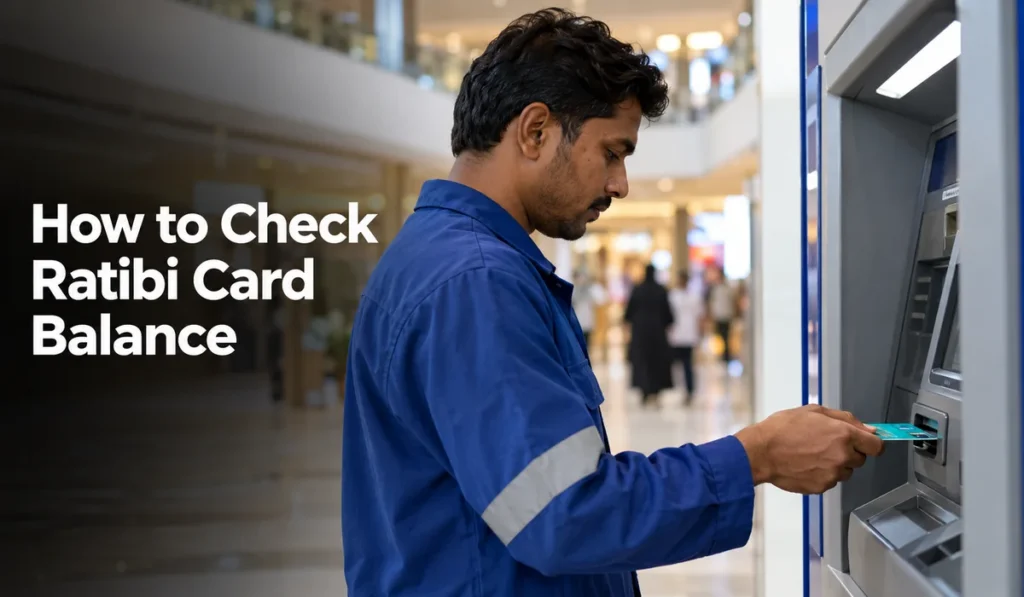
The Ratibi card is a prepaid salary card from First Abu Dhabi Bank (FAB). Thousands of workers in the UAE get their monthly salary loaded onto it, no regular bank account needed. A quick Ratibi balance check tells you if your salary landed and how much you’ve got left to spend that month.
Every official way to check your Ratibi card balance is covered below, along with the details you’ll need and what to do when something looks wrong.
What Is the Ratibi Card?
Ratibi is a prepaid payroll card issued by FAB to companies that pay workers through the UAE Wage Protection System (WPS). It’s built for workers on lower monthly salaries who don’t have a regular bank account. Your employer loads your salary straight onto the card. Then you can pull out cash from ATMs, tap to pay at shops, or use it for online purchases.
The employer is the one who applies for the card, so you can’t just go and get one yourself. The card comes with a PIN, and your employer normally hands it over along with a welcome letter that has your card details inside.
Details You Need for a Ratibi Balance Check
You’ll need two numbers that are printed on the card for most of these methods. So grab your card before you start.
Look for the following:
| Detail | Where to find it |
|---|---|
| 16-digit card number | Front of the card |
| Last 4 digits | The final four numbers of the 16-digit card number |
| Card ID | Printed on the card, usually below the card number |
| PIN | Sent with the card, needed for ATMs |
| Registered mobile number | Given to your employer or FAB, needed for apps and SMS |
Don’t let anyone else see your PIN. Not even someone who says they’ll help you check the balance (this is a common trick at labour camps, unfortunately).
Method 1: Check Ratibi Balance Online (FAB Prepaid Card Inquiry)
The quickest way to check your Ratibi balance, with no registration required, is the FAB Prepaid Card Inquiry page. It works on any phone or computer with internet access.
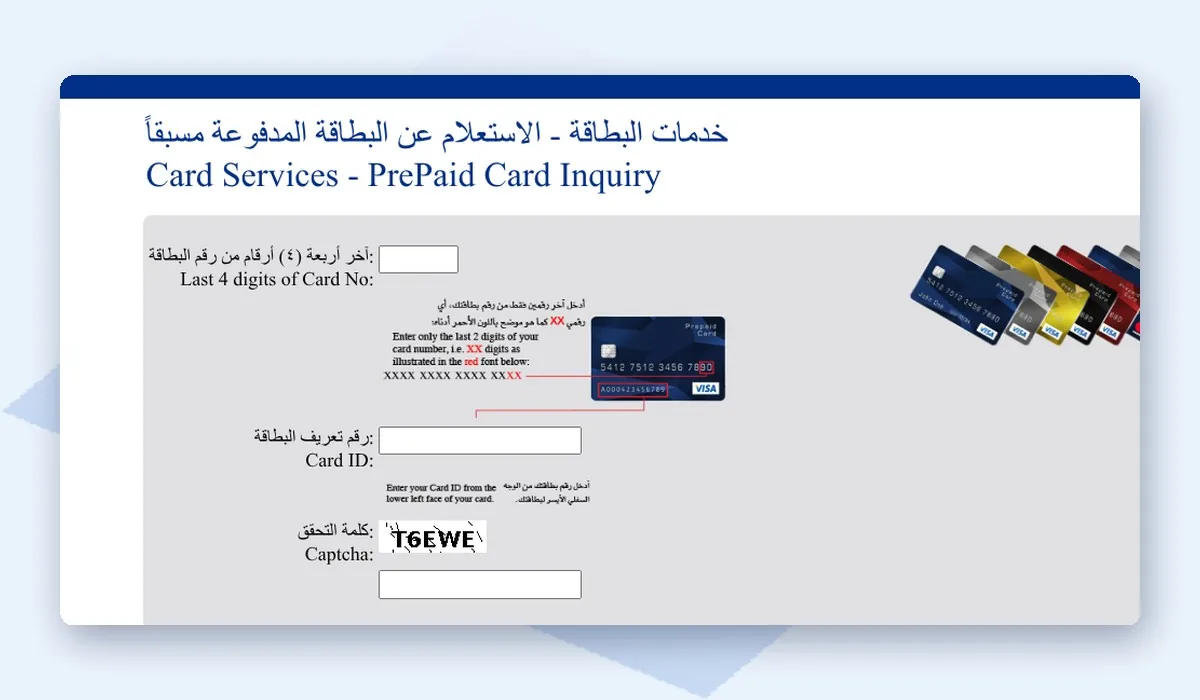
Use the steps below to check your balance:
- Open the official FAB Prepaid Card Inquiry page at ppc.magnati.com/ppc-inquiry.
- Enter the last 4 digits of your card number.
- Enter your Card ID in the next box.
- Type the captcha code shown on the screen.
- Click Go to see your available balance.
The page also shows recent transactions, so you can confirm exactly when your salary came in. If you get an error, double-check the Card ID. One wrong digit is the most common reason the check won’t go through.
Method 2: Check Balance on the Payit App
Payit is a digital wallet app backed by FAB, and Ratibi cardholders can link their card to it. Once it’s set up, your balance is visible any time you open the app.
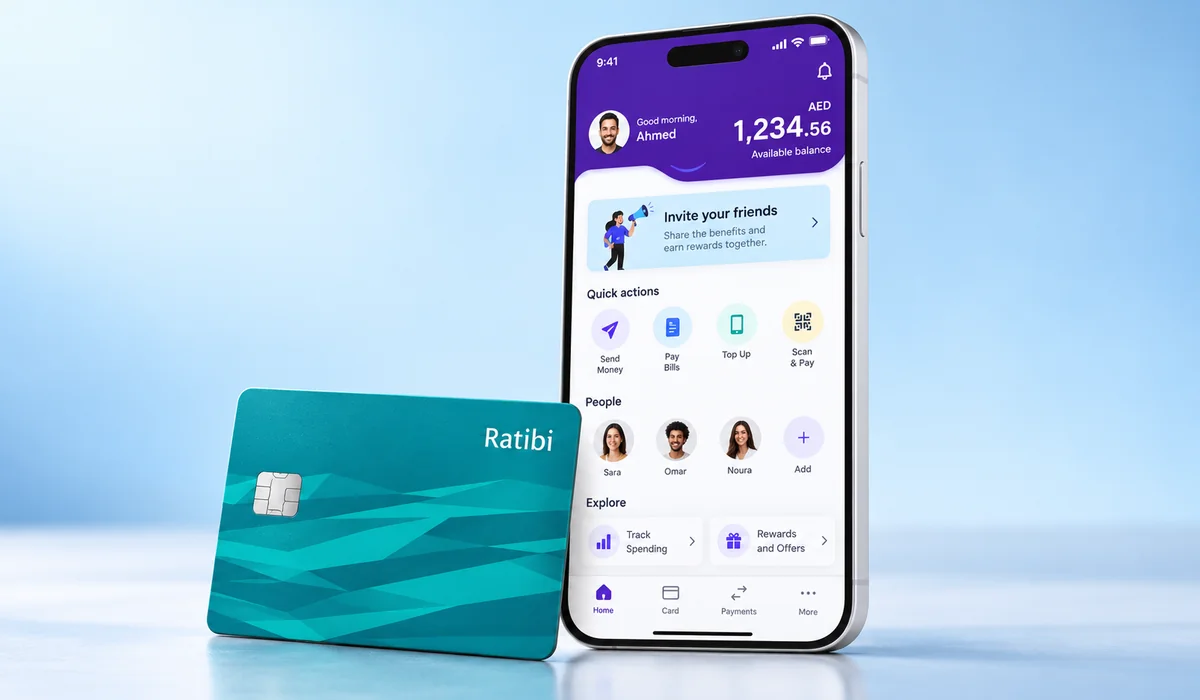
To register your card on Payit, do the following:
- Download Payit from the App Store or Google Play.
- Choose the option for Ratibi cardholders during sign-up.
- Scan your Emirates ID when the app asks.
- Enter your card details, then type the OTP that arrives on the mobile number you gave to FAB.
- Create a PIN for the app. That way no one else can get in if they pick up your phone.
After that, your Ratibi balance shows up right on the home screen. You can also use the app to send money and pay some bills, which cuts down on trips to an exchange house.
Method 3: Check Balance at an ATM
An ATM balance check needs no internet, just your card and PIN. FAB ATMs are the best option because they don’t charge for balance inquiries.
Try this at a FAB ATM:
- Insert your Ratibi card into a FAB ATM.
- Select your language, then type in your 4-digit PIN.
- Tap Balance Inquiry on the screen.
- Choose to view the balance on screen or print a receipt.
Other banks’ ATMs across the UAE will also accept the card, but a small fee may apply. If you check your balance often, sticking to FAB ATMs will save you money over time.
Method 4: Call FAB Customer Service
When online methods aren’t working for you, FAB’s phone banking can answer balance questions and sort out card issues. The number to call inside the UAE is 600 52 5500.
Get your card number and Emirates ID out before you dial so you’re not scrambling mid-call. They’ll run through a few security questions first. Lost card, stolen card, blocked card? Same number.
Which Method Should You Use?
All five options pull the same balance data. The difference is just convenience. This comparison can help you pick what fits your situation:
| Method | Internet needed | Registration needed | Cost |
|---|---|---|---|
| FAB Prepaid Card Inquiry page | Yes | No | Free |
| Payit app | Yes | Yes | Free |
| FAB ATM | No | No | Free |
| Other bank ATM | No | No | Small fee may apply |
| Phone banking | No | No | Normal call rates |
For most people, the online inquiry page is the fastest option. The ATM is your best backup when there’s no internet around.
Why Your Salary May Not Show Yet
It’s very common to check your balance on payday and find no new salary. Usually there’s a straightforward reason for it.
These are the typical causes:
- Your employer hasn’t processed the salary transfer yet.
- The transfer is still going through between banks, which can take a working day.
- Payday fell on a Friday or a public holiday (Eid, for example) so the transfer moved to the next working day.
- There’s a problem on your employer’s side, maybe your card number is wrong in their system or there’s a mismatch in your employee file, and HR needs to fix it before anything goes through.
More than a couple of days and still nothing? Go to your HR or payroll team first, not the bank. Get them to show you exactly when the transfer was sent. And if the salary is late every single month, you can report it to the Ministry of Human Resources and Emiratisation (MOHRE) on 600 590 000.
Keep Your Ratibi Card Safe
Your salary lives on that card. Losing it is like losing cash. Below are a few things to do (and not do):
- Your PIN, Card ID, and OTP codes are yours only. Don’t give them out to anyone.
- Stick to the official FAB website and the Payit app when checking your balance.
- Cover the keypad with your other hand when typing your PIN at an ATM. Skimming devices are rare but they do turn up.
- Card missing? Call FAB straight away on 600 52 5500 to get it blocked.
- FAB will never call or message you to ask for your PIN. Anyone who does is not from FAB.
Final Thoughts
A Ratibi balance check takes under a minute on the FAB Prepaid Card Inquiry page. All you need is the last 4 digits of your card and your Card ID. The Payit app is great for daily use, and any FAB ATM works fine when you’re offline. If your salary doesn’t appear on time, check with your employer before assuming something is wrong with the card itself.
For other payments, you can also check our guides on DEWA bill check and du bill check.