
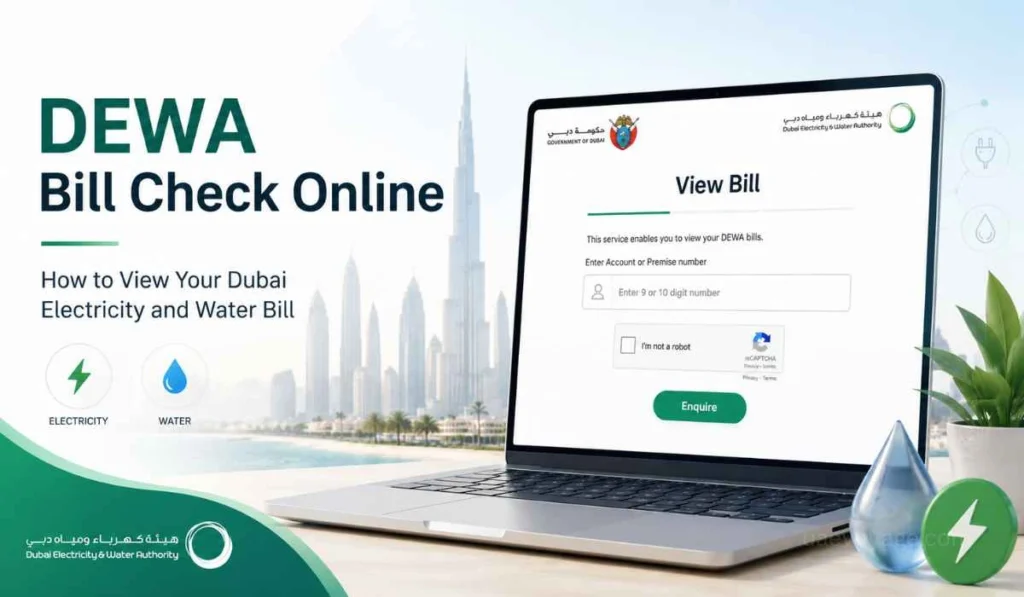
Quick Answer: You can check your DEWA bill online through the DEWA View Bill service. Just enter your DEWA account number or premise number, then submit the enquiry to see your bill details. This helps you confirm the bill amount and due details before you pay.
If you live in Dubai, your DEWA bill is something you will deal with almost every month. It is linked with your electricity and water usage, so checking it on time is important. Not only for payment but also to understand the amount pending.
Many people only open their DEWA bill when the due date is near. That is common. But it is better to check it a little earlier, especially if your bill looks higher than normal or if you recently moved into a new home.
The good thing is, DEWA bill check is not difficult. You do not need to visit a customer center just to view your bill. If you have your account number or premise number, you can check the bill online in a simple way.
What Is DEWA Bill Check?
DEWA bill check means viewing your Dubai Electricity and Water Authority bill before making payment. It helps you see how much you need to pay for electricity and water services.
A simple way to understand it is this. Checking the bill is one step. Paying the bill is another step. First you view the amount, then you choose the payment method.
This is useful because your DEWA bill may show more than one thing. You may see your current bill amount, previous balance, due amount, or other bill details. So do not just pay quickly without reading the bill properly.
What You Need Before Checking Your DEWA Bill
Before starting, keep your DEWA details ready. The main details used for checking the bill are your account number and premise number. DEWA’s View Bill service asks users to enter an account or premise number to view the bill.
| Detail | What It Means | Why It Helps |
|---|---|---|
| Account Number | Your DEWA account number | It helps find your bill directly |
| Premise Number | A number linked with the property | Useful if you do not have the account number |
| EasyPay Number | A number used for some DEWA payments | Helpful for payment through EasyPay |
| Meter Number | A number linked with your meter | Can help when finding premise details |
If you do not know your premise number, DEWA also has a Display Premise Number service. It can help customers find the premise number using details like application number, contract account number, business partner number, plot number, Makani number, Emirates ID number, meter number, and trade license number.
How to Check DEWA Bill Online
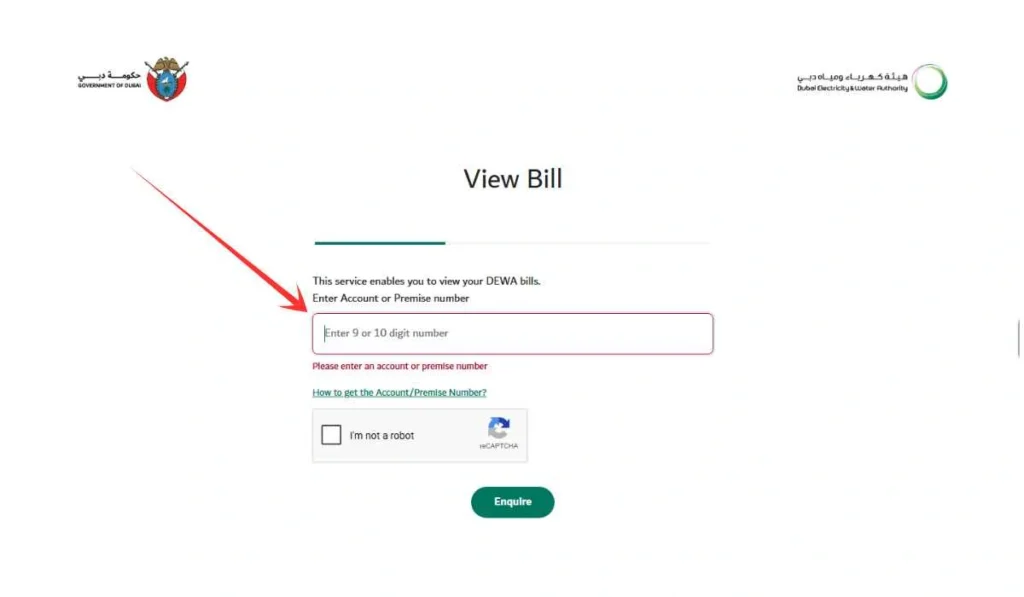
The easiest way to check your DEWA bill is through the official DEWA View Bill service. You only need your account number or premise number. Make sure the number is correct before submitting, because even one wrong digit can stop the bill from showing.
- Open the DEWA View Bill service
Go to the official DEWA website (dewa.gov.ae) and open the View Bill page under the billing section. Use DEWA’s own website or official digital channels, not random pages asking for bill details. - Enter your account number or premise number
Type the number carefully in the given box. You can usually find it on an old DEWA bill, your DEWA account details, or move-in related documents. - Submit the enquiry
After entering the number, click the enquiry option. If the number is correct and the bill is available, the system should show your bill details. - Review the bill amount and due date
Check the total amount, due details, and any previous balance before paying. Do not only look at one small amount. The total payable amount is what matters.
This method is useful for tenants, owners, and those who manage bills for multiple properties. It is also helpful when you only want to check the bill and are not ready to pay yet.
Other Ways to Check or Manage Your DEWA Bill
Sometimes you may not want to use only the View Bill page. DEWA has other billing services too, and each one has a different use. Some are better for checking, some are better for payment.
DEWA Smart App
The DEWA smart app is useful if you want to manage services from your phone. It can be easier for people who check bills often or want to handle DEWA services without opening the website every time.
For regular Dubai residents, the app can feel more convenient. You can keep your account details in one place and manage your services when needed.
EasyPay Service
EasyPay is mainly useful for payments and quick enquiries. DEWA says EasyPay can be used for different payment types, and users can provide an EasyPay number to enquire and proceed with payment.
So for a simple DEWA bill check, the View Bill service is easier. But if you already have your EasyPay number and want to pay quickly, EasyPay can help.
Pay a Friend’s Bill
DEWA also has a Pay a Friend’s Bill service. This service lets users view and pay another person’s bill by entering the account number or premise number.
This can be useful when you are helping a family member, friend, or someone who asked you to pay their bill. Just make sure you have the correct details before doing it.
Dubai Now and DEWA Digital Channels
DEWA bill payment can also be done through Dubai Now and DEWA digital channels. DEWA explains that users can select the DEWA bill option in Dubai Now, add or choose the DEWA account number, confirm the amount, and continue with payment.
This is more payment-focused, but it still helps if you want to manage the bill after checking it. If the bill is not showing or something looks wrong, using official support options is better than trying unknown websites.
Common Problems When Checking DEWA Bill
Sometimes the DEWA bill does not show, and it can be annoying. But most of the time, the reason is simple.
- Wrong account number or premise number
This is one of the most common issues. Check every digit and avoid extra spaces when entering the number. - The latest bill has not been generated yet
If the billing cycle is still active, the new bill may not appear right away. You may need to check again later. - Payment is still not updated
If you recently paid the bill, the balance may still show for some time depending on the payment channel. Keep your receipt until the payment reflects. - New DEWA account is not fully active
If you recently moved in, your account details may still be getting updated. Wait for the correct account details before checking the bill. - Using an old bill detail
Sometimes people use an old account detail or screenshot. If you changed property or account, make sure you are using the latest DEWA details.
Simple Tips Before Paying Your DEWA Bill
Before paying, spend a minute reviewing the bill. It sounds small, but it can save you from confusion later.
- Check the total due amount, not only the current month’s charges.
- Check the due date so you do not miss the payment deadline.
- Compare high bills with normal usage if the amount looks unusual.
- Check any previous balance because it can increase the final payable amount.
- Save your payment receipt until the payment is updated in your account.
- Use only official DEWA channels for bill checking and payment.
DEWA lists several official billing services such as View Bill, EasyPay, Bill Payment, My Bills, Bill Explanation, and Bill Payment Channels. So it is better to stay with official services instead of using random links.
FAQs About DEWA Bill Check
Can I check my DEWA bill without logging in?
Yes, you can use DEWA’s View Bill service by entering your account number or premise number. This is useful when you only want to view the bill quickly.
Can I check DEWA bill with premise number?
Yes, you can check your DEWA bill with a premise number. DEWA’s View Bill service accepts account number or premise number for bill enquiry.
Where do I find my DEWA account number?
You can usually find your DEWA account number on your old DEWA bill, account details, or move-in related documents. If you need the premise number, DEWA’s Display Premise Number service can help through different search options.
Why is my DEWA bill not showing?
Your DEWA bill may not show because the account number is wrong, the premise number is incorrect, the latest bill is not generated yet, or your account details are not updated. Start by checking the number again.
Can I pay someone else’s DEWA bill?
Yes, DEWA has a Pay a Friend’s Bill service. You can use another person’s account number or premise number to view and pay their bill.
Is DEWA bill check free?
DEWA’s View Bill service is an online bill enquiry service. You mainly need the correct account number or premise number to view the bill.
Final Thoughts
DEWA bill check is simple when you have the right account number or premise number. Open the official DEWA View Bill service, enter the details carefully, and check the bill amount before paying. Also look at the due date, total amount, and any previous balance so there is no confusion later.
Have you ever faced a DEWA bill issue like bill not showing, wrong number, or payment still pending? Share your issue in the comments, it may help other Dubai users too.