
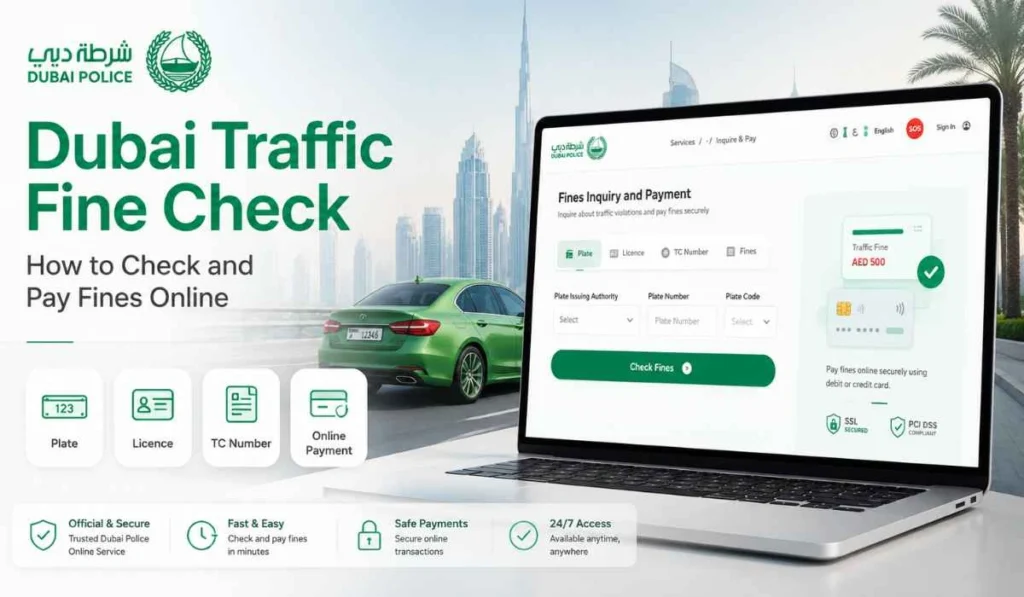
Quick Answer: You can check Dubai traffic fines online through Dubai Police, RTA Dubai, MOI UAE or via Emirates Vehicle Gate. You will need your plate number, plate code, traffic file number, driving license number, Emirates ID, or fine number. Every time you pay, don’t only look at the amount, look at the fine print.
Regularly checking traffic fines is a good practice, especially for Dubai drivers. A fine may not always be immediately apparent. In some cases, the fine will be paid later or when you attempt to renew your vehicle registration.
Dubai traffic fine check allows you to check if there are any fines pending on your vehicle or license. It also allows you to check the fine amount, violation date, black points and payment status before making the payment.
It’s not a difficult process. You can check fines through Dubai Police, RTA, MOI or Emirates Vehicle Gate. But be sure to have all the proper information on hand, because a single wrong plate or traffic file number may return no results.
What Is Dubai Traffic Fine Check?
Dubai traffic fine check is a process to determine whether any traffic fines are associated with your vehicle, driving license or traffic file. It’s a straightforward online search prior to payment.
Fine shows different details like the fine amount, violation type, violation date, black points (if any) and whether the fine is paid or pending. Dubai Police states that the fine payment service is applicable for violations that are registered against a vehicle plate, driving licence or traffic code.
Thus, yes, it’s not simply regarding paying. First you check. You then determine whether the fine is correct and whether you wish to pay it at this time.
What You Need Before Checking Dubai Traffic Fines
Before beginning, have one or more of the following details on hand. Not all of them might be necessary, but each portal will require a different set of information.
| Detail | Why You Need It |
|---|---|
| Plate number | To search fines linked with your vehicle |
| Plate code or source | To make sure the correct plate is selected |
| Traffic file number | To check fines linked with your traffic record |
| Driving license number | To check fines linked with the driver |
| Emirates ID | Useful on some UAE government services |
| Fine number | To search one specific fine |
When checking by plate number, be sure to enter the plate code correctly. There are various codes for Dubai plates and that is where people go wrong.
How to Check Dubai Traffic Fines on Dubai Police Website
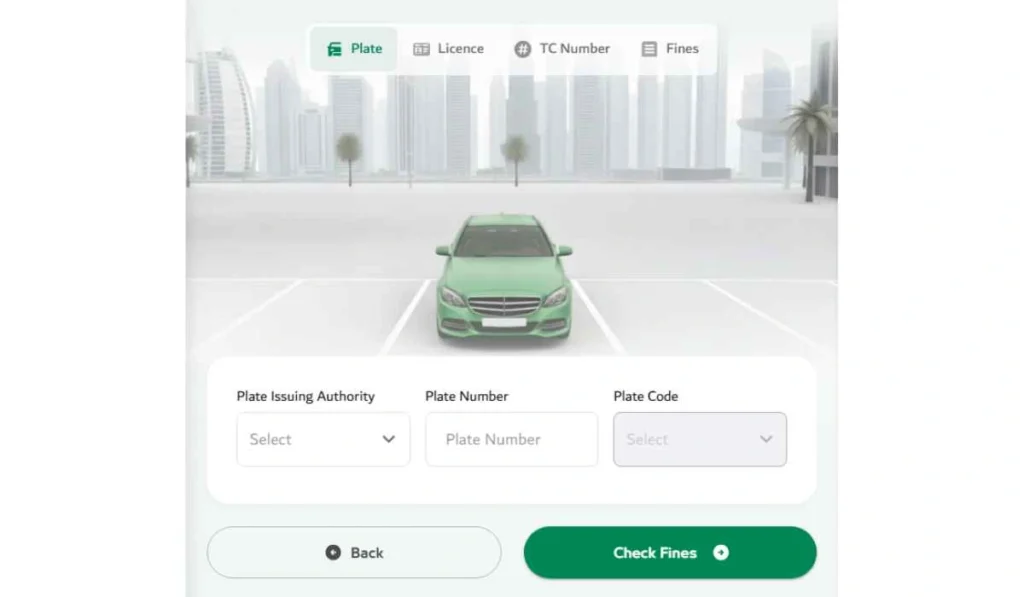
One of the primary official methods of checking and paying traffic fines in Dubai is Dubai Police. Dubai Police website offers a service for checking traffic tickets and paying the fines for Dubai Police and RTA.
The simple process is as follows:
- Open the Dubai Police fines inquiry service
Visit Dubai Police fine payment or fine inquiry service. Don’t go to random websites for fine checking, as they may request personal or payment information. - Choose how you want to search
Search by plate details, traffic file number, license number or fine number. Pick the option you have. - Enter the required details
Enter the plate number, plate code, traffic file number or other information carefully. - Complete verification if shown
Captcha or verification may be displayed on some pages. Fill it in and proceed. - Review the fine details
Review the fine amount, violation date, plate number, black points (if noted) and payment status. - Pay only after confirming everything
In case the fine is accurate, you may proceed with payment. When something doesn’t seem right, STOP and review once more.
This approach is suitable for the majority of Dubai motorists since it is direct and official.
How to Check Dubai Traffic Fines Through RTA
RTA Dubai is another vital location for driver and vehicle services. Vehicle renewal, license renewal, parking, Salik services and traffic fine checking are among the most popular activities that many drivers use RTA services for.
You can check through RTA like this:
- Go to the official RTA Dubai website or app.
- Visit driver and vehicle owner services.
- Choose fines inquiry or fine payment.
- Provide vehicle, traffic, or license information.
- Check the fine details and the status prior to paying.
If you cannot open the RTA fine page, you should use the RTA app or some other official way to open it, such as Dubai Police. Government service pages may appear differently in different browsers, apps or sessions.
Other Ways to Check or Pay Dubai Traffic Fines
There are other alternatives, such as Dubai Police and RTA. Other official UAE channels can be used as well, particularly if you are interested in viewing the UAE traffic fines more broadly.
Dubai Police App
If you like to work on mobile services, the Dubai Police app comes handy. You can use it to check fines, pay fines, and access other police services from your phone.
This is useful for those who frequently monitor their fines, or those who do not wish to visit the website each time. Just make sure you are using the official Dubai Police app, not a copy or random app.
MOI UAE Website or App
MOI UAE is helpful for checking and paying traffic fines via federal traffic services system. The MOI website lists Traffic Fines Payment as one of its e-services and most visited services.
This could be helpful for those who wish to look into fines in not just Dubai, but multiple emirates. Depending on the service, you may need UAE Pass or other details of your account.
Emirates Vehicle Gate
Another way to check and pay traffic fines in Dubai is through Emirates Vehicle Gate (EVG). According to EVG, its fine payment process is a fine process that allows users to log in and search for outstanding fine information and select the fine to pay.
If you’re already using EVG for vehicle services you can also use it to enhance your EVG. You can also use EVG to view or print traffic payment receipts through its receipt inquiry service.
How to Pay Dubai Traffic Fines After Checking
If the fine is accurate, the fine can be paid via the same official channel once the fine is checked. But do not rush. First check if the fine is for the vehicle or the driving license.
Before paying, check these things:
- Plate number or traffic file number is correct
- Clearly stated fine amount
- Violation date looks right
- If applicable, black points will show.
- The payment status is still pending
- You are on an official payment page
Once paid for, keep the receipt or confirmation number. This is important because sometimes payment status can take time to update. If the fine subsequently shows up, the receipt could be used to demonstrate that it had been paid.
Common Problems When Checking Dubai Traffic Fines
At times, the fine may not appear or the payment status may appear confusing. It happens. See if these basic things are in check.
- Wrong plate number or plate code
There is a significant impact from the plate code. The wrong code or source may lead to the incorrect fines being displayed. - Fine not uploaded yet
Not all fines will show up right away. If the violation was relatively recent, try again later. - The traffic file number was entered incorrectly
The traffic file number has to be entered correctly. There may be no result displayed with a single digit missing. - Emirates ID or license details not matching
The system might not display the fine if your information is not connected properly. - Payment done but the fine is still showing
It can take a while for the payment status to get updated. Save the receipt and double-check. - Website or app not loading
Use another browser, clear the cache of your browser, use the official app, or check back after a while. - Fine belongs to another emirate or authority
If the fine is not listed on one portal, check MOI or EVG as some fines may be associated with another Emirate or Federal system.
Can You Dispute a Dubai Traffic Fine?
Yes, if you feel a fine may be inappropriate, you should follow the proper authority route of appeal. This could be Dubai Police, RTA or other authorities as per the issuing department of the fine.
Don’t dispute the fine if you believe it is incorrect. Always review the violation details first. Pay attention to the date, location, plate and fine type. If it still looks incorrect, contact the official support channel and ask about the objection process.
If you have any evidence, have it on hand. For instance, a payment receipt, vehicle documents, or documentation that the vehicle was not there. However, don’t take this as legal advice. Final decision will be taken by the concerned authority.
Safety Tips Before Paying Traffic Fines Online
Traffic fine payment uses personal and payment details, so be careful. Sometimes fake SMS messages and payment links appear legitimate. In the past, UAE motorists have also been alerted to fake toll or fee alerts in scams, so it’s important to check the official channel.
- Only use official channels of Dubai Police, RTA, MOI, or EVG.
- Avoid clicking on fine payment links that come from unsolicited SMS or WhatsApp.
- Do not share OTP with anybody.
- Be sure to verify the plate number and fine amount prior to payment.
- Never type card information on unfamiliar-looking pages.
- Keep a copy of the receipt or confirmation of payment.
- If the payment status doesn’t update, contact official support.
The following is a simple rule. In case a message has created panic and tells you to pay promptly via a strange link, be sure to stop first. Go and check the official website or app.
FAQs About Dubai Traffic Fine Check
How can I check Dubai traffic fines online?
You can check Dubai traffic fines through Dubai Police, RTA Dubai, MOI UAE or via Emirates Vehicle Gate. Use your plate number, traffic file number, license number, Emirates ID, or fine number depending on the service.
Can I check Dubai traffic fines by plate number?
Yes, you can check traffic fines by plate number through official fine inquiry services. Make sure you also select the correct plate code, plate source and the vehicle details where needed.
Can I check Dubai traffic fines with Emirates ID?
Some UAE traffic services may allow fine checking or payment using Emirates ID or UAE Pass login. If Dubai Police does not show what you need, try MOI UAE or EVG.
How do I pay Dubai traffic fines online?
After checking the fine, choose the official payment option on Dubai Police, RTA, MOI or EVG. Confirm the fine details first, complete payment and save your receipt.
Why is my Dubai traffic fine not showing?
The fine may not show because the plate code is wrong, the fine is not uploaded yet, your traffic file number is incorrect or the fine belongs to another emirate or authority. Try again later or use another official portal.
Can I check RTA fines online?
Yes, RTA Dubai offers driver and vehicle-related services where users can check or pay fines.
Can I dispute a Dubai traffic fine?
Yes, if you think the fine is wrong, contact the official authority that issued it and ask about the objection or review process. Check the violation details before submitting any request.
Final Thoughts
Dubai traffic fine check is easy as long as you choose the correct official channel. Fines can be checked via Dubai Police, RTA, MOI or Emirates Vehicle Gate. Ensure that you have your plate number, traffic file number, license info, or Emirates ID at the ready, and double check all details before paying.
Have you ever faced an issue while checking Dubai traffic fines, like fine not showing or payment still pending? In the comments section below, post your problem, someone else might benefit as well.