

Most people forget about their Emirates ID completely until a bank teller, a landlord or a typing centre flags it and tells them it’s been expired for weeks. At that point, a fine has probably already built up on the file. It costs nothing to check, only takes a couple of minutes, and you can do the whole thing from your phone.
This guide goes over how the fine is calculated, where to look it up, how to pay it. It also explains which fines show up on a completely different portal.
How the Late Renewal Fine Is Calculated
ICP (the Federal Authority for Identity, Citizenship, Customs and Port Security) gives you a 30-day window after your card expires. No charge during that month. From day 31, AED 20 is charged for each day you delay, and the total caps at AED 1,000.
Here’s what that looks like in actual dirhams:
| Days late (after the 30-day grace period) | Fine |
|---|---|
| 10 days | AED 200 |
| 25 days | AED 500 |
| 50 days or more | AED 1,000 (maximum) |
A card that expired on 1 March starts picking up fines around 31 March. Leave it until June and yeah, you’re almost certainly looking at the full AED 1,000. Your Emirates ID is linked to your residence visa, so when you renew one the other usually gets done at the same time. One thing to note: ICP can adjust these amounts whenever they want, no advance notice. So trust whatever number the portal shows you over anything else.
Keep These Details Handy
The check itself is quick, but you’ll need a few things in front of you. Have these ready:
- Your Emirates ID number (that’s the 15-digit one starting with 784)
- Unified Number (UID), printed on your visa or residence record
- Passport number, which some services ask for
- The mobile number linked to your Emirates ID, since an OTP is sent there
- A UAE Pass account
UAE Pass is set up on your phone with your Emirates ID and a face scan. It takes about five minutes, and almost every federal and local government service now relies on it.
Check on the ICP Smart Services Website
ICP’s Smart Services portal is the official source for fines tied to your identity and residency file. It’s the place to start.
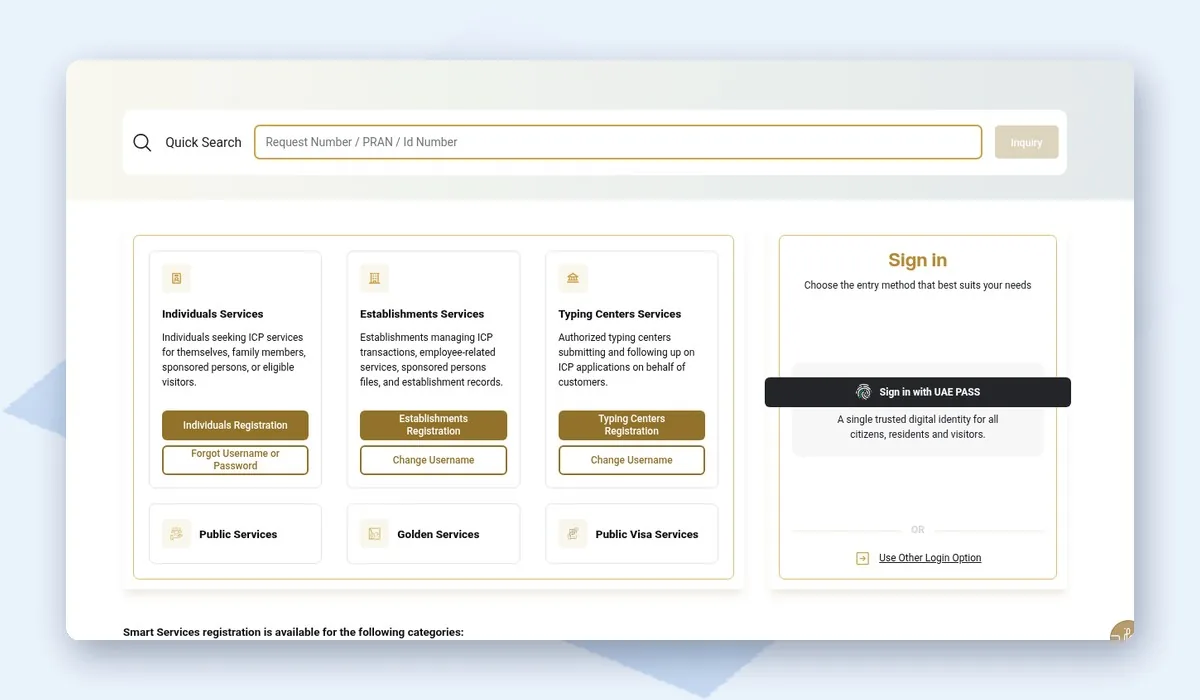
To run the check:
- Open smartservices.icp.gov.ae in your browser.
- Click Sign In and choose UAE Pass.
- From the services menu, pick the fines or violations inquiry service.
- Type in your Emirates ID number, UID or file details as requested.
- Look at the result. If there’s a fine, you’ll see the amount and the reason next to it.
A clean record simply shows that no violations were found. If something is due, you can pay right there with a debit or credit card. Take a screenshot of the receipt before closing the page.
Check on the UAEICP App
Prefer your phone? The UAEICP app has the same services and is a little easier to use on a small screen.
Steps in the app:
- Install UAEICP from the App Store or Google Play. Make sure the publisher listed is actually the Federal Authority for Identity, Citizenship, Customs and Port Security (there are copycat apps floating around).
- Sign in with UAE Pass.
- Go to Services, then look for the fines or violations inquiry section in there.
- Enter your Emirates ID number or file number.
- Fine showing up? You can pay it straight from the app.
The app also displays your card status and expiry date. That alone helps a lot, because a quick glance every few months is enough to avoid the fine in the first place.
Dubai Visa Holders Should Also Check GDRFA
If your visa was stamped in Dubai, residency is handled by GDRFA Dubai (General Directorate of Residency and Foreigners Affairs). So overstay and visa fines go there, not to ICP.
You can check those on the GDRFA Dubai website or the GDRFA DXB app. The ID card itself is still an ICP product, though, so when in doubt, run both checks. It costs nothing and removes the guesswork.
Fines That Won’t Appear in This Search
The Emirates ID fine check pulls up ID and residency fines only. Traffic fines, insurance penalties and similar charges are held by different authorities entirely.
Here’s a breakdown of where to look depending on the fine type:
| Fine | Where to check it |
|---|---|
| Emirates ID late renewal | ICP Smart Services or UAEICP app |
| Visa overstay, Dubai visa | GDRFA Dubai website or app |
| Visa overstay, other emirates | ICP Smart Services |
| Dubai traffic fines | Dubai Police app or RTA |
| Abu Dhabi traffic fines | TAMM or Abu Dhabi Police |
| Unemployment insurance (ILOE) | MOHRE or iloe.ae |
Got traffic fines to chase up? The Dubai traffic fine check and Abu Dhabi fine check guides cover searching by plate number, licence or traffic file.
Paying the Fine
Online payment is the fastest option and works straight after the check. ICP accepts debit and credit cards on both the portal and the app.
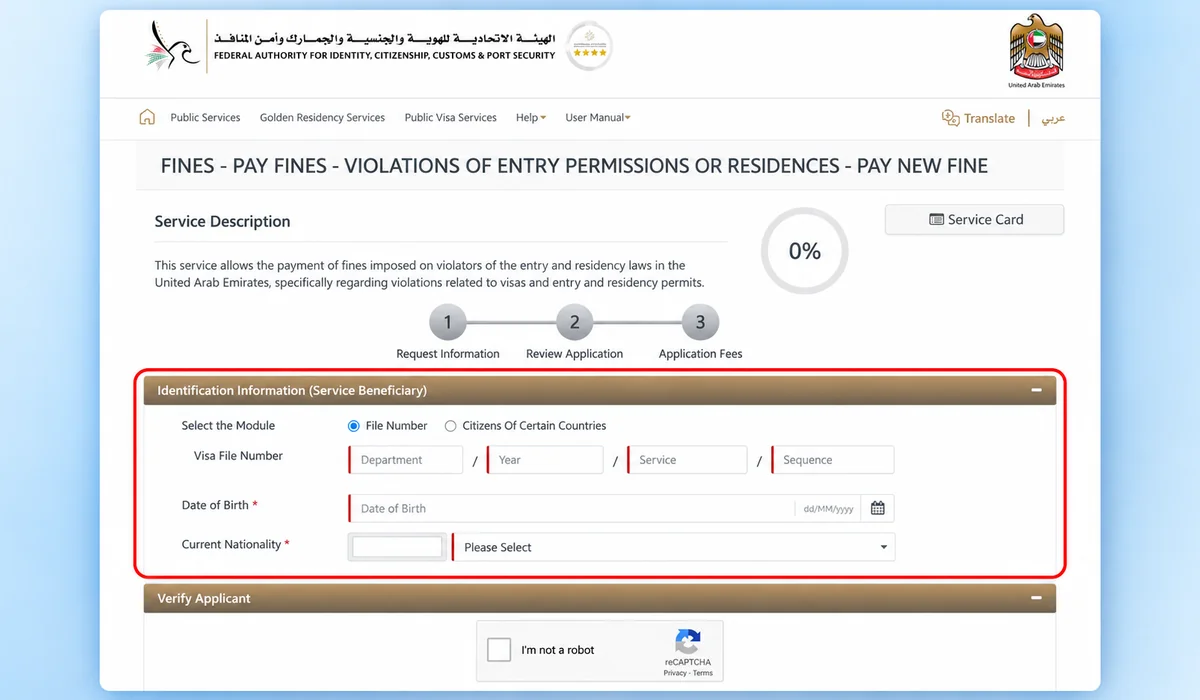
If you’d rather pay in person, these places can help:
- ICP Customer Happiness Centres
- Authorised typing centres, including Amer centres in Dubai
- Your renewal application, where any fine is added to the total fees
Keep the payment receipt until the renewal is fully done. If the fine still appears a few days later, the receipt clears it up fast.
Simple Ways to Avoid the Fine
Almost every Emirates ID fine comes from forgetting the expiry date. Honestly, two small things can stop this from ever surprising you:
- Add the expiry date to your phone calendar. Set a reminder for 60 days out so you have time to sort it.
- Start the renewal early. UAE nationals can typically start the renewal process up to six months before the card expires.
- Make sure ICP has your current mobile number, otherwise the SMS reminders won’t get through.
- When your visa and ID expire close together, handle both renewals in one go.
- Moving out of the UAE for good? Cancel your residence visa through the proper process, or the file could keep racking up fines.
When the Fine Looks Wrong
Now and then a fine appears even though the renewal was submitted on time. Usually the application was started but never completed, or a payment didn’t register.
If that happens, ring ICP on 600 522222 or go to a Customer Happiness Centre. Bring your Emirates ID, passport and any receipts you have. Note down the exact dates and ask them to review the record. ICP has given fine exemptions to specific groups before, so ask whether any current exemption applies to your case.
Final Thoughts
Checking for an Emirates ID fine is free and quick on the ICP portal or the UAEICP app. Once the 30-day grace period ends, the fine builds at AED 20 per day and tops out at AED 1,000. That’s reason enough to check your file sooner. Dubai visa holders should look at GDRFA as well, and traffic fines need their own search.
Paying tolls too? Our Salik balance check guide explains how to keep your Salik account topped up.